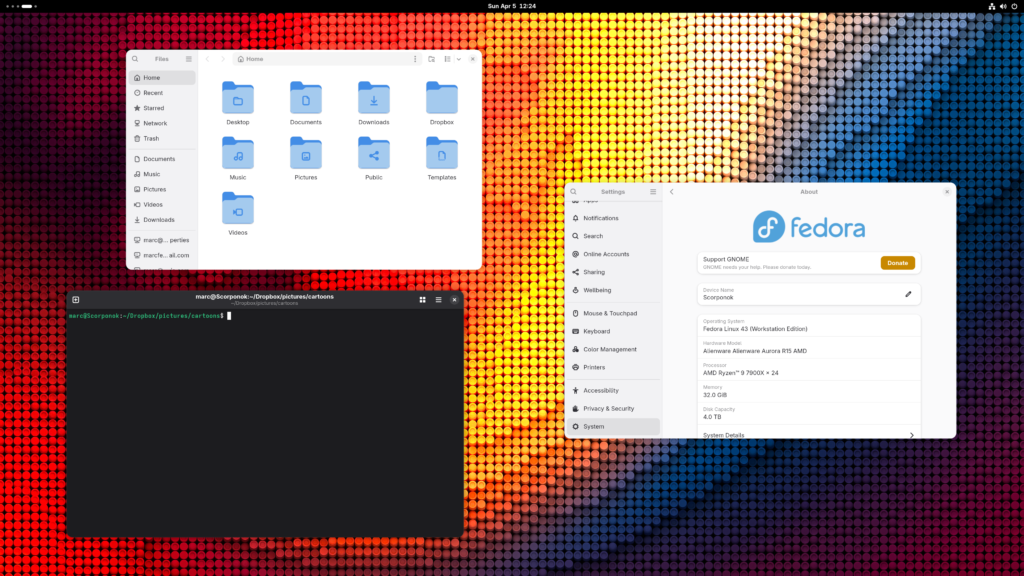
A friend inspired me to dual-boot my Windows machine with Fedora 43 on an Alienware Aurora R15: Ryzen 9 7900X, 32 GB RAM, 4 TB SSD, RTX 4070, one absurdly large 52″ 4K TV, and a 34″ ultrawide in portrait mode because apparently I enjoy giving display servers emotional challenges.
I expected Fedora to fly on that hardware. I’ve been a Fedora person for a long time, and on laptops it usually felt solid, predictable, almost suspiciously cooperative. It had been decades since I’d last installed Linux on a desktop, so I walked into this setup with very high expectations.
Installation was smooth. Wi-Fi worked. Ethernet worked. GNOME came up. Wayland was the default. I did the updates, installed RPM Fusion, pulled in the NVIDIA stack, and waited for the module build to finish.
Then the Mood Changed
Here’s the argument: Linux desktop in 2026 is finally credible, but it still punishes the assumption that credible means frictionless. That gap is the whole story.
The timing matters. Linux is still tiny on the desktop overall, but the conversation around it has changed. Between gaming growth, dissatisfaction with increasingly opinionated commercial operating systems, and a wider interest in privacy, repairability, and local control, Linux has more cultural momentum than it did a few years ago. It is no longer just the operating system of people who think recompiling a kernel sounds like a relaxing weekend.
Linux Shows You the Plumbing
What bites later is that Linux is honest in a way other desktop systems are not.
My 4K problem was a perfect example. Fedora did not “fail to support” my TV. Linux just exposed a mechanism I usually never think about: HDMI mode negotiation. The TV was set to Auto, which sounded fine until I learned it needed HDMI 2.0 instead of 1.4. That is the part I still love. Linux keeps revealing that the “system” is really a pile of cooperating parts, and when one of them is wrong, you can actually find it.

That is very different from the mainstream desktop model, where the bundle is presented as the product and the internals are treated like forbidden knowledge. Linux says: here are the moving parts, good luck. Useful, empowering, occasionally rude.
That tension is what makes the Linux desktop feel relevant right now. People are getting tired of platforms that hide too much, decide too much, and increasingly want to observe too much. Linux benefits every time a commercial OS adds another layer of automation, another account dependency, or another “smart” feature no one asked for. My venture capitalist friend, Scrooge McDuck, understands ownership. He wants the vault under his control, not managed by a cheerful stranger promising optimization. That instinct maps cleanly to why Linux still matters.
The NVIDIA Tax
The uncomfortable part is that ownership is not the same thing as ease.
NVIDIA on Linux remains the standing tax on optimism. You know the ritual: third-party repos, driver packages, codec swaps, kernel module timing, a little faith, and one reboot where you pretend not to worry. It is better than it used to be, but “better” and “finished” are not even close to synonyms. Wayland is mature enough to be the default, but mixed monitors, TVs, scaling, refresh rates, and proprietary drivers can still turn a premium desktop into a troubleshooting workshop.
That was my experience. App launch times felt wrong. Not catastrophic. Just wrong enough to be annoying on hardware that should feel instant. Maybe that is a Linux problem. Maybe it is a me problem. More likely, it is the classic desktop Linux problem: the system is capable, but the path to “obviously fast” still has too many hidden negotiations along the way.

Good Now, Not Effortless
The calmer way to judge Linux on the desktop is not by asking whether it feels identical to Windows with better morals. That is the wrong benchmark. Judge it by whether you want a machine you can understand, shape, and repair, even when that means seeing the seams. In that sense, Linux desktop is stronger than it has been in years.
It just still has some Starscream energy: ambitious, impressive, and occasionally the reason the room is on fire.
Still Home, Just Not Comfortable
I’m still glad I installed it. Even with the friction, it feels more like home than anything else on that machine. Send me your distro, GPU, monitor setup, what feels off, and how close you are to blaming Wayland.
Here’s a list of commands to run after a fresh install. Don’t just copy and paste, understand what these commands do. If you want help post your question in the comments section.
# Increase parallel downloads to 10
sudo sed -i 's/max_parallel_downloads=5/max_parallel_downloads=10/' /etc/dnf/dnf.conf

# Perform a full system refresh
sudo dnf upgrade --refresh

# Enabling third-party respos (...because of FOSS/Fedora principals)
sudo dnf install https://mirrors.rpmfusion.org/free/fedora/rpmfusion-free-release-$(rpm -E %fedora).noarch.rpm https://mirrors.rpmfusion.org/nonfree/fedora/rpmfusion-nonfree-release-$(rpm -E %fedora).noarch.rpm

# Install the nvidia driver and CUDA support
sudo dnf install akmod-nvidia xorg-x11-drv-nvidia-cuda

# IMPORTANT: Wait 5 minutes before rebooting to let the background module build finish.
# You can check progress with:
modinfo -F version nvidia

# Swap to the full ffmpeg (supports H.264/H.265)
sudo dnf swap ffmpeg-free ffmpeg --allowerasing

# Install common media and sound plugins
sudo dnf group upgrade multimedia --exclude=PackageKit-gstreamer-plugin
sudo dnf group upgrade sound-and-video

# Install tuned to manage power profiles
sudo dnf install tuned

# Set the profile to throughput-performance for maximum desktop responsiveness
sudo tuned-adm profile throughput-performance
Leave a Reply